
As a data analyst, you’re probably very comfortable working with SQL tables, CSV files, and Excel spreadsheets. But sooner or later, you’ll run into a situation like this:
- The data you need isn’t in the database
- The source system exposes data via an API
- Your stakeholder asks, “Can we pull this automatically instead of downloading it manually?”
This is where APIs and DataFrames come in.
The good news?
You don’t need to be a software engineer to work with APIs.
This guide walks you through — step by step — how analysts can pull data from an API and turn it into a DataFrame, using plain language, practical examples, and minimal assumptions.
What Is an API? (In Analyst Terms)
An API (Application Programming Interface) is simply a way for one system to send data to another.
Think of it like this:
- A database → you use SQL
- A CSV file → you download it
- An API → you request data and get a response
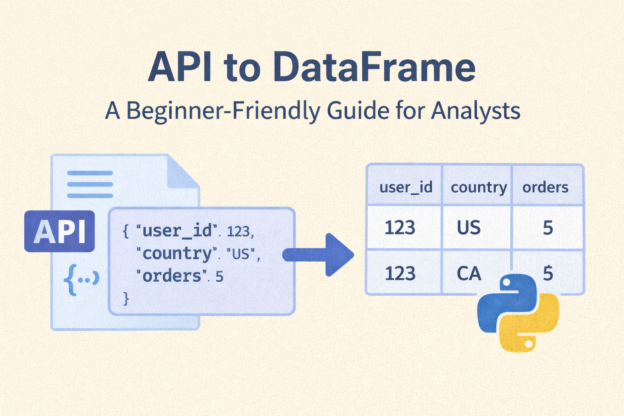
Most APIs return data in JSON format, which looks like structured text with keys and values.
Example (simplified JSON response):
{
  "user_id": 123,
  "country": "US",
  "orders": 5
}
Instead of rows and columns, APIs give you nested structures — and your job as an analyst is to turn that into a table.
What Is a DataFrame?
A DataFrame is a table-like data structure used in tools like:
- Python (pandas)
- R
- Spark
If you’ve worked with Excel or SQL tables, a DataFrame will feel very familiar:
| user_id | country | orders |
|---|---|---|
| 123 | US | 5 |
So the goal of this article is simple:
Take data from an API → convert it into a DataFrame → analyze it like a normal table
Why Analysts Should Care About APIs
APIs are everywhere in modern analytics:
- Product analytics platforms
- Marketing tools (Google Ads, Meta, HubSpot)
- Payment systems (Stripe)
- Logistics systems
- Internal microservices
Knowing how to go from API → DataFrame allows you to:
- Automate data pulls
- Avoid manual CSV downloads
- Build repeatable pipelines
- Combine API data with SQL data
- Power dashboards with fresh data
This skill is increasingly expected of modern analysts.
The Typical API → DataFrame Workflow
Here’s the big picture:
- Call the API (send a request)
- Receive JSON data
- Normalize / flatten the JSON
- Convert it into a DataFrame
- Clean and analyze it
- (Optional) Save to CSV or database
We’ll walk through each step.
Step 1: Make an API Request
Most APIs are accessed via HTTP requests. In Python, the most common library is requests.
import requests

url = "https://api.example.com/users"
response = requests.get(url)
If the request is successful, you’ll usually get a status code 200.
response.status_code
Step 2: Parse the JSON Response
APIs typically return JSON.
data = response.json()
At this point, data is usually:
- A dictionary
- A list of dictionaries
- Or a nested structure
Example:
[
  {"user_id": 1, "country": "US", "orders": 3},
  {"user_id": 2, "country": "CA", "orders": 1}
]
Step 3: Convert JSON to a DataFrame
Now comes the analyst-friendly part.
Using pandas:
import pandas as pd

df = pd.DataFrame(data)
That’s it.
You now have a DataFrame that behaves like a SQL table.
df.head()
Step 4: Handling Nested JSON (Very Common)
Real-world APIs are rarely flat.
Example:
{
  "user_id": 1,
  "profile": {
    "country": "US",
    "age": 29
  },
  "orders": [
    {"order_id": 100, "amount": 25.5},
    {"order_id": 101, "amount": 40.0}
  ]
}
This won’t convert cleanly using DataFrame() alone.
Use json_normalize
from pandas import json_normalize

df = json_normalize(data)
This flattens nested fields:
| user_id | profile.country | profile.age |
|---|---|---|
| 1 | US | 29 |
Step 5: Exploding Arrays (One-to-Many Data)
If the API returns arrays (e.g. orders per user), you may want one row per order.
df_orders = json_normalize(
    data,
    record_path="orders",
    meta=["user_id"]
)
Result:
| order_id | amount | user_id |
|---|---|---|
| 100 | 25.5 | 1 |
| 101 | 40.0 | 1 |
This step is extremely useful for:
- Event data
- Transactions
- Logs
Step 6: Cleaning & Validating the Data
Before analysis, treat API data the same way you treat SQL data:
- Check for missing values
- Validate data types
- Rename columns
- Deduplicate rows
df.info()
df.isnull().sum()
You may notice:
- Numbers coming in as strings
- Timestamps needing conversion
- Inconsistent column naming
All normal.
Step 7: Save or Use the Data
Once you have a clean DataFrame, you can:
Save to CSV
df.to_csv("api_data.csv", index=False)
Load into a database
df.to_sql("api_table", con=engine, if_exists="replace")
Join with SQL data
Combine API data with warehouse data for richer analysis.
Common Issues Analysts Run Into (And How to Fix Them)
❌ Authentication Errors
Many APIs require:
- API keys
- Bearer tokens
- OAuth
Example:
headers = {
    "Authorization": "Bearer YOUR_API_KEY"
}

requests.get(url, headers=headers)
❌ Pagination (Not All Data Comes at Once)
APIs often return data in pages.
You’ll need a loop:
all_data = []

while next_url:
    response = requests.get(next_url)
    json_data = response.json()
    all_data.extend(json_data["results"])
    next_url = json_data.get("next")
❌ Rate Limits
APIs may limit how often you can call them.
Solutions:
- Add delays
- Cache results
- Pull data incrementally
How APIs Fit Into a BI Workflow
A typical modern analytics stack:
API → Python → DataFrame → Database → dbt → BI Tool
This makes API data:
- Auditable
- Reproducible
- Joinable with SQL data
- Dashboard-ready
APIs no longer have to live outside your BI ecosystem.
When Analysts Should Use APIs
Use APIs when:
- Data isn’t available in SQL
- Manual exports are painful
- Data updates frequently
- Automation is required
Avoid APIs when:
- SQL access already exists
- Data volume is extremely large (streaming may be better)
- Data governance is unclear
Final Thoughts
APIs may sound intimidating at first, but for analysts, the goal is simple:
Turn API responses into DataFrames so you can analyze them like tables.
Once you understand:
- How API requests work
- How JSON maps to DataFrames
- How to flatten nested data
You unlock a whole new set of data sources — without waiting on engineering teams.
This is a powerful skill that bridges the gap between analytics and data engineering, and it’s becoming increasingly valuable in modern BI roles.
Discover more from Daily BI Talks
Subscribe to get the latest posts sent to your email.